More Settings
Before enabling panoramic video stitching, some work needs to be done. 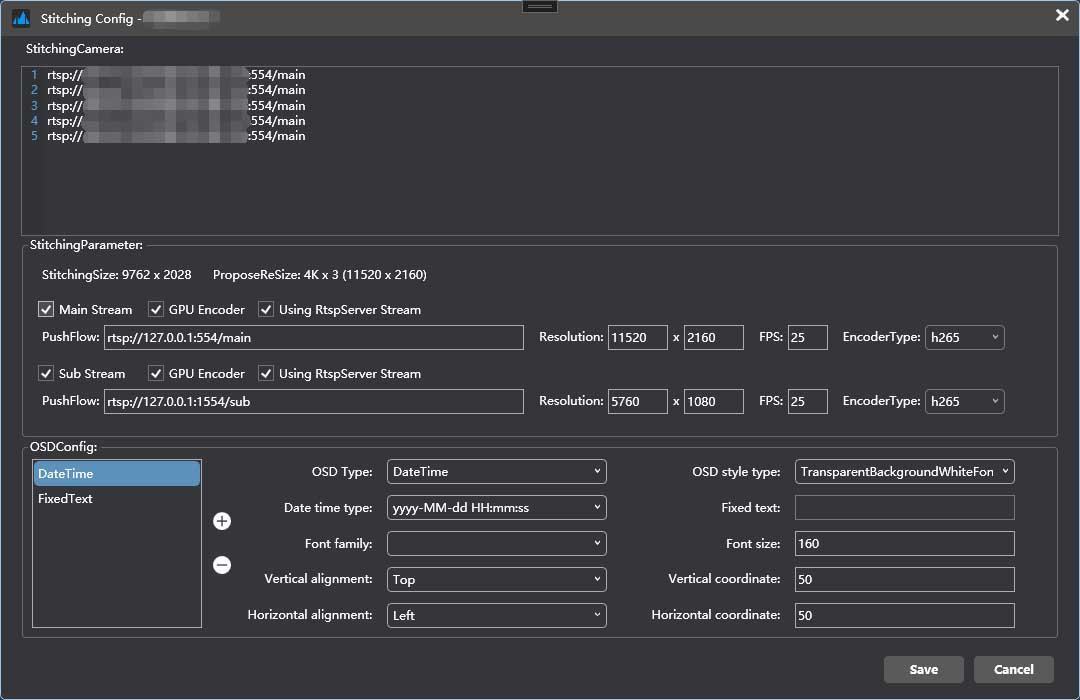
Add camera
Adding video streams such as RTSP and Onvif to the camera list will result in the video streams being concatenated in the order they are concatenated.
Note: The number of images and resolution should be consistent with the one used when creating the stitching.
Configure stitching parameters
Stitching configuration refers to the configuration of streaming parameters, and the main stream must be checked by default. According to the algorithm, the spliced image will provide a recommended playback size, usually a standard 16:9 multiple horizontally spliced display.
According to the configuration, you can choose to use H.264 or H.265 encoding, whether to use Nvidia's CUDA acceleration, and whether to start RTSP service for streaming (if not checked, you need to start RTSP and RTMP servers for streaming).
Sub stream streaming is optional, usually half the resolution of the main stream, and is suitable for previewing in environments with poor internet speeds.
Configure OSD
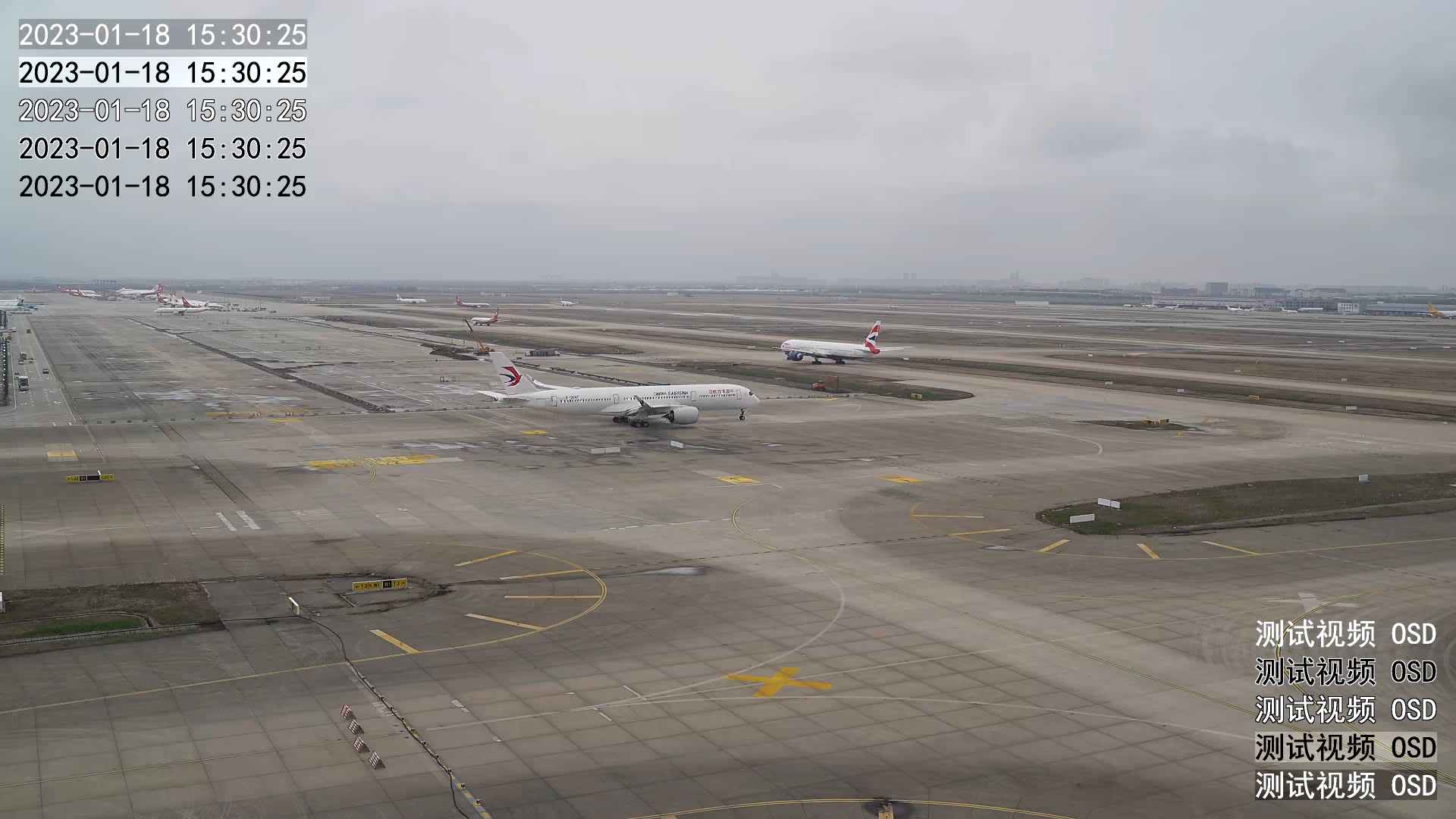
Configure OSD overlay display according to requirements, and choose OSD type and font, coordinates, text size, and margins.
Select OSD Type
| OSD Type | Function |
|---|---|
| NullValue | Null value |
| DateTime | Date Time Type |
| FixedText | Fixed Text Type |
Select OSD Style type
| OSD Style Type | Function |
|---|---|
| TransparentBackgroundWhiteFont | Translucent background with white text |
| TransparentBackgroundBlackFont | Translucent background with black text |
| WhiteFontWithBlackBorder | White text with black borders |
| BlackFontWithWhiteBorder | Black text and white border |
| BlackandWhiteBrightnessInversion | Black and white brightness reversal |