How to create a panoramic video
Infrastructure
Select 2-12 cameras of the same brand, model, resolution, and focal length as much as possible, install them in a fan-shaped arrangement, and overlay ≥ 10%~≤ 90% of the images between adjacent cameras for splicing. Fix them on the load-bearing structure of monitoring equipment such as walls or gantry frames to avoid image shaking caused by natural environment.

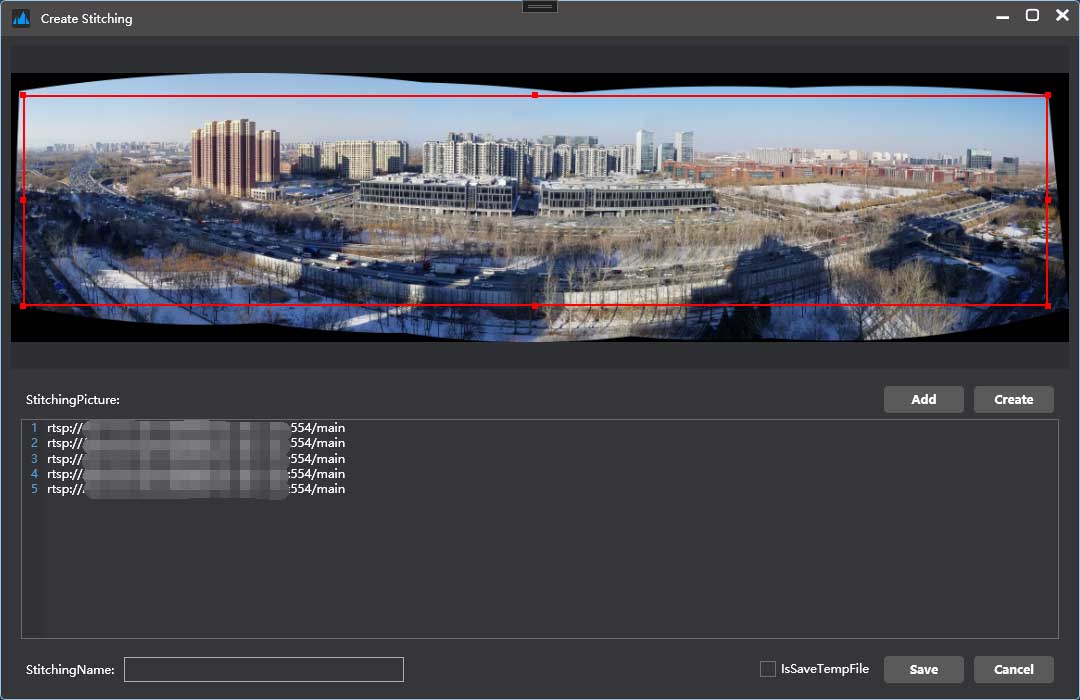
Create Stitching
If you have any splicing related issues, you can choose to contact us。.
Pre installation testing
Before installation, test whether the usage effect meets the usage requirements at the minimum cost. Use your phone to stand at a high place and take a set of photos in order. Use AutoStitch Or use Photoshop function in Photomerge Function to create panoramic stitched photos.

Installed for testing
For installed surveillance cameras, they can be directly connected to the camera through the PanoramaStitching client program. After inputting camera parameters and connecting to the camera, automatic stitching is created. The program will automatically perform stitching verification, feature point extraction, distortion correction, image fusion, color difference correction, and cropping of the maximum inscribed rectangle.
Save the splicing file and use it directly for panoramic video splicing.